 My ETA
Hi Dave,
Matt from My ETA is on the way. Track and view our live ETA here:
map.myeta.co/tracking/xYz123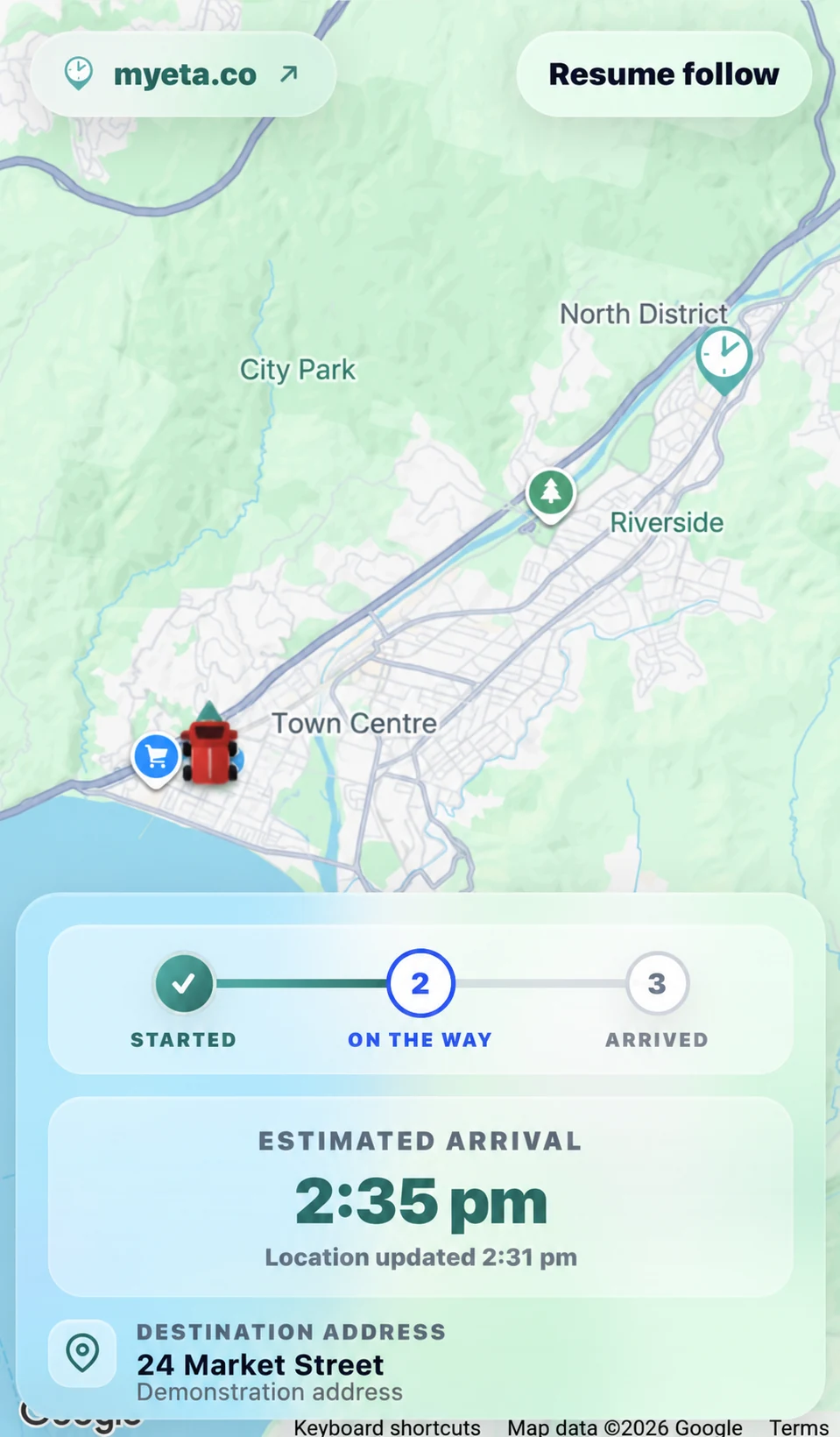
Customer arrival notifications made easy
My ETA sends customers a live tracking link by SMS when your team is on the way. They simply tap the link to view the driver’s location and ETA in their phone’s browser, with nothing to download.
Plan runs with included route optimisation, and keep customer conversations visible to your driver and office.
- Customers just tap the link
- No tracking hardware required
- No monthly fee.
- No driver phone number shared.
How My ETA works
From the moment the driver starts the job, the customer can follow the arrival without calling your office.
Your office can assign jobs and optimise the run before departure, while customer replies stay visible to the driver and office during the job.
- 1Driver starts the job
- 2Customer receives an SMS tracking link
- 3Customer sees the live ETA
- 4Customer knows when to expect your arrival
One job, three clear views
My ETA gives the customer, driver and office the information each of them needs, without adding another complicated workflow.
For the customer
The customer receives an SMS tracking link and opens it in their phone browser. They can see the live ETA and know when to be ready without downloading an app.
- Tracking link sent by SMS
- Live driver location and ETA
- Job Started, Getting Close and Arrived updates
- Tracking ends automatically when the job is completed
- Customers don’t need to download an app
- Reply to the arrival SMS to share access instructions or ask a question.

For the driver
Drivers can open an assigned job or start one directly in the app where their permissions allow. They can navigate to the destination, view the active job and job history, and let My ETA handle customer updates and tracking in the background.
- Start assigned jobs, or create jobs where your permissions allow.
- View the job order arranged by dispatch.
- Navigate to the destination
- View the active job and job history
- Customer updates happen automatically
- Read and reply to customer messages within My ETA.
- Tracking ends when the job is completed
- The driver’s phone number stays private
For dispatch and the office
See active jobs, driver locations and expected arrival times, and keep customer conversations visible to your driver and office.
- Dispatch Hub: Create jobs, assign drivers and arrange daily runs.
- Route optimisation: Optimise stop order and compare estimated driving distance before applying the run.
- Shared customer messaging: View customer conversations and reply from the office, with visibility for the assigned driver.
- Contractor Mode: Limit subcontractors to viewing and starting jobs assigned to them.
- Live Map: View active jobs, driver location, destination and calculated ETA.
- Jobs and Insights: Review job status, completed-job history, reporting and SMS usage.
- Teams and Groups: Organise drivers, user roles and operational groups.
- Organisation and Integrations: Manage account settings, billing and connections to existing systems.
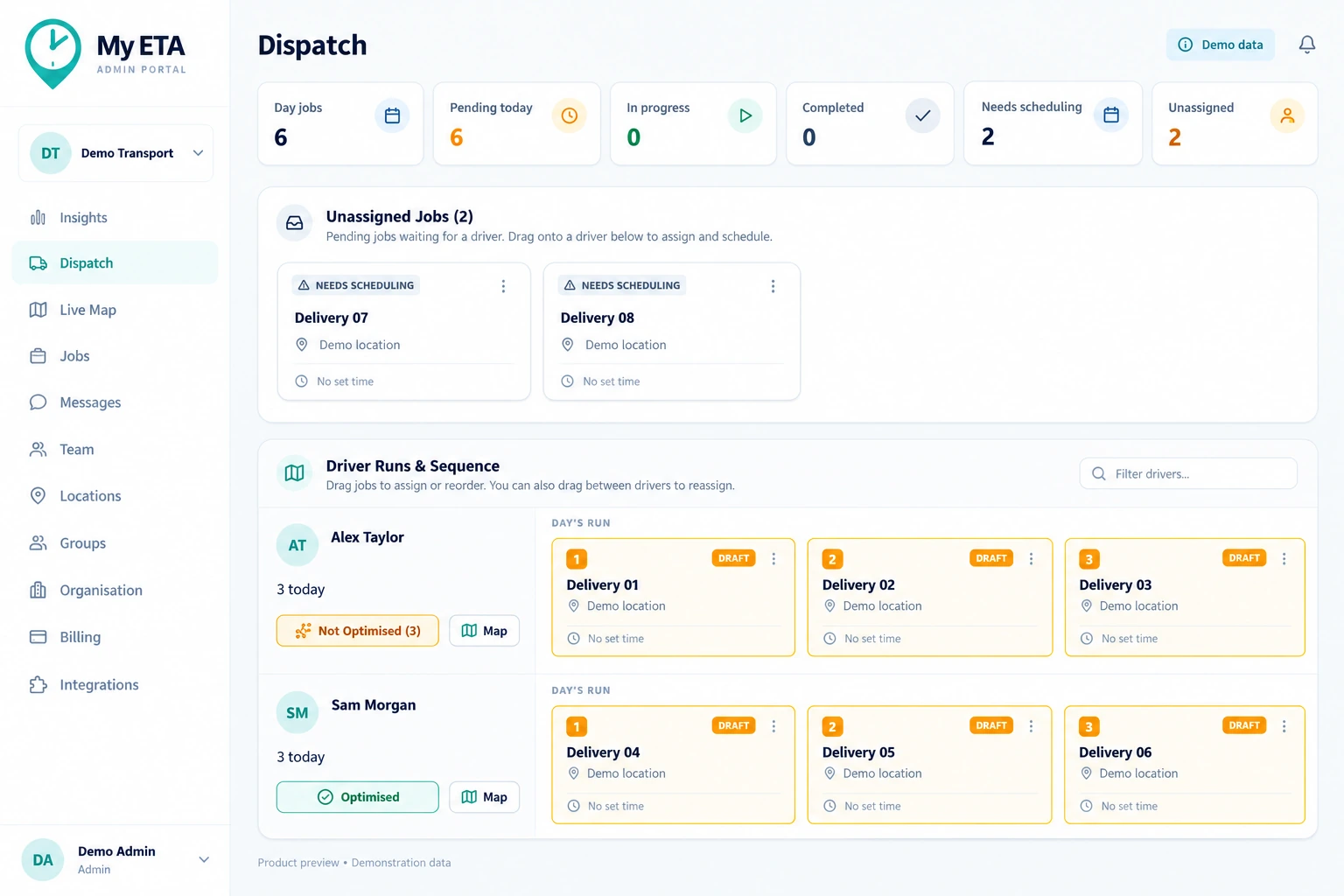
Assign jobs to drivers and organise daily runs in one place.
Product previews use demonstration data. Route savings vary.
Fits around the way you already work
Use the phones, tablets and systems you already have. Create and assign jobs directly in My ETA, or connect your booking, dispatch, CRM or job-management software.
Use your existing devices
Driver phones and tablets only need mobile data or Wi-Fi. Customer SMS messages are sent by My ETA, not by the driver’s device, and the driver’s private phone number is not shared.
Create and assign jobs
Office staff can create jobs in the My ETA admin portal and assign them to drivers. No integration is required to get started.
Zapier integration
Automatically create jobs in My ETA from your existing booking forms, spreadsheets, calendars or CRM through Zapier.
Connect through the job import API
Send jobs into My ETA from your booking, dispatch, CRM, job-management or operations software.
Moveware integration
Where Moveware API access is available, My ETA can receive moving-job data and start the My ETA workflow from one action.
Works with your own fleet and your subcontractors
Whether the job is completed by one of your own drivers or a subcontractor using their own vehicle, My ETA gives your customers the same professional arrival experience. No vehicle hardware required.
Privacy by design
My ETA only shares location while a job is active. When the driver arrives, tracking automatically stops, protecting driver privacy and reducing battery use.
Simple pricing for better customer updates
Pay as you go
Pay as you go. No monthly subscription.
NZD, excluding applicable tax
Get Started NowOperating in another country? to check availability and pricing.
What's included
- Three automated SMS milestones
- Live customer tracking page
- Driver app with navigation
- Dispatch Hub for job assignment and daily runs
- Route optimisation included at no extra charge
- Two-way customer messaging with driver and office visibility
- Live Map with active jobs, destinations and ETA
- Job history, reporting and SMS usage
- Teams, groups and user roles
- Driver phone number stays private
- No customer app or new hardware
- No monthly fee or contract
- No setup fees
Additional messages are charged separately. Route optimisation is subject to fair use.
Need integration?
Connect your existing workflow through Zapier, the job import API or supported integrations such as Moveware.
A small per-job cost gives customers better information and gives your team fewer update calls to manage.
Frequently asked questions
What is My ETA?
My ETA is customer ETA notification software that sends customers a live tracking link by SMS when your team is on the way. It helps customers see the live ETA without downloading an app.
What types of businesses use My ETA?
My ETA is designed for businesses where arrival time matters, including moving companies, delivery teams, trades, technicians, installers, service teams, local fleets, and field operations.
Do customers need to download an app?
No. Customers receive an SMS with a live tracking link and can view the ETA directly in their phone browser.
Do driver devices need an SMS plan, and is the driver’s phone number shared?
No. Driver phones and tablets only need mobile data or Wi-Fi to use the driver app. Customer SMS updates are sent by My ETA, not from the driver’s device, so the driver’s personal phone number stays private.
Do we need new hardware or need to replace our current system?
No. My ETA works using the devices your team already has, and it can be used alongside your existing booking, dispatch, CRM, or operations software.
Can My ETA connect to our existing systems?
Yes. You can automatically create jobs in My ETA through Zapier, our job import API, or supported integrations such as Moveware (where Moveware API access is available).
How much does My ETA cost?
My ETA is priced per job, with no monthly subscription. Each standard job includes three automatic SMS arrival updates and live customer tracking. Select your country in the pricing section to see local pricing. Additional messages are charged separately.
Is My ETA a proof-of-delivery system?
No. My ETA focuses purely on customer communication, live ETA visibility, and reducing calls to the office. It is not designed for parcel scanning, signatures, or proof of delivery.
Can customers reply to their arrival messages?
Yes. Customers can reply by SMS, and the assigned driver and office can view and respond to the customer conversation through My ETA. Drivers reply within the app without sharing their personal phone number. Additional messages use credits.
Is route optimisation included?
Yes. Route optimisation is included at no extra charge, subject to fair use. Dispatch can optimise stop order and compare estimated driving distance before applying the route. Savings vary by route.
Can we restrict subcontractor access?
Yes. Contractor Mode gives subcontractors limited access so they can only view and start jobs assigned to them.
Ready to stop the “where are you?” calls?
Create your My ETA account and start sending customers clearer arrival updates with live ETA tracking links.
Already have an account? Log in